
From Podcast to Publishable Shorts
Podcast Clip Checklist: What to Check Before Publishing
Check context, captions, framing, audio, visual elements, bookends and credits before sharing an MP4 or handing video clips to an editor.
Your podcast clip is nearly ready to post. Before you share it, take a few minutes to check the opening, captions, framing, and sound in the exported file. This checklist helps you catch the small mistakes that are easy to miss while editing and gives a teammate a clear version to publish.
Check the exact file you intend to post: meaning, boundaries, captions, framing, sound, permission, and packaging. Make any final corrections, export again if needed, and confirm you are posting the updated version.
This checklist is for podcast and interview creators preparing clips from recordings they own or are authorized to share. Copy it into your episode notes and use it for each selected clip.
1. A checklist you can copy into your episode notes
Clip title / version:
Intended viewer and one takeaway:

[ ] Context: a newcomer can identify the question and speaker.
[ ] Meaning: the cut preserves necessary reasons and qualifications.
[ ] Boundaries: the opening and final words sound complete.
[ ] Captions: names, terms, numbers, and negations match the speech.
[ ] Timing: each caption appears with the correct phrase.
[ ] Readability: captions are readable at normal speed on a phone and do not cover essential content.
[ ] Framing: the relevant people and content stay visible throughout.
[ ] Sound: speech is audible; no missing audio or distracting cut.
[ ] Elements: titles, logos and overlays are accurate, readable and correctly timed.
[ ] Intro/outro: opening and closing assets or cards fit the clip and finish cleanly.
[ ] Audiogram, if used: cover, headline and sound visualization match the saved audio clip.
[ ] Permission: this use and any added media are covered.
[ ] Credits: required attribution and change notes are prepared.
[ ] File: the downloaded MP4 is the version I reviewed.
[ ] Packaging: the title accurately describes what the clip says.
[ ] Next step: the full episode or relevant destination is clear.

Decision: ready / fix / set aside
Specific fix, if any:
Final filename and reviewer:
Mark an item only after checking it. If a teammate handles publishing, record the final filename and the specific version they should use. “The latest one” becomes ambiguous as soon as another export exists.
2. Review what a new viewer will believe
Start without reading your own post description. Can you tell who is speaking, what they are responding to, and what the point is? Read the sentence before and after the source excerpt when checking a strong claim. A missing “in this case” can matter more than a polished opening.
In our roadmap example, restoring the host’s question increased the clip from about 12 seconds to about 24. It improved context, but the answer still gives only one criterion for requests. A title promising the founder’s complete decision framework would go beyond the excerpt.
If the opening needs work, return to the start-and-end guide. Keep a required question or qualification. If the available source cannot make the point fairly, set the candidate aside.
3. Use three focused playback passes
First, listen. Play from the beginning through the end at normal speed. Check whether the first syllable is clipped, one speaker becomes difficult to hear, or the last sentence cuts off. Listen across speaker changes, where differences in recording level can make one person harder to hear.
Use Audio schemes to compare a candidate sound treatment, or Audio settings to adjust the current draft. Generate an audition and compare it with the source at a sensible listening volume. Selecting a scheme does not approve filler or pause cuts: review detection candidates in Audio cleanup, confirm each cut, then check meaning and caption timing. A cleaner-sounding audition still needs a check in the final export.
See audio settings and a scheme preview
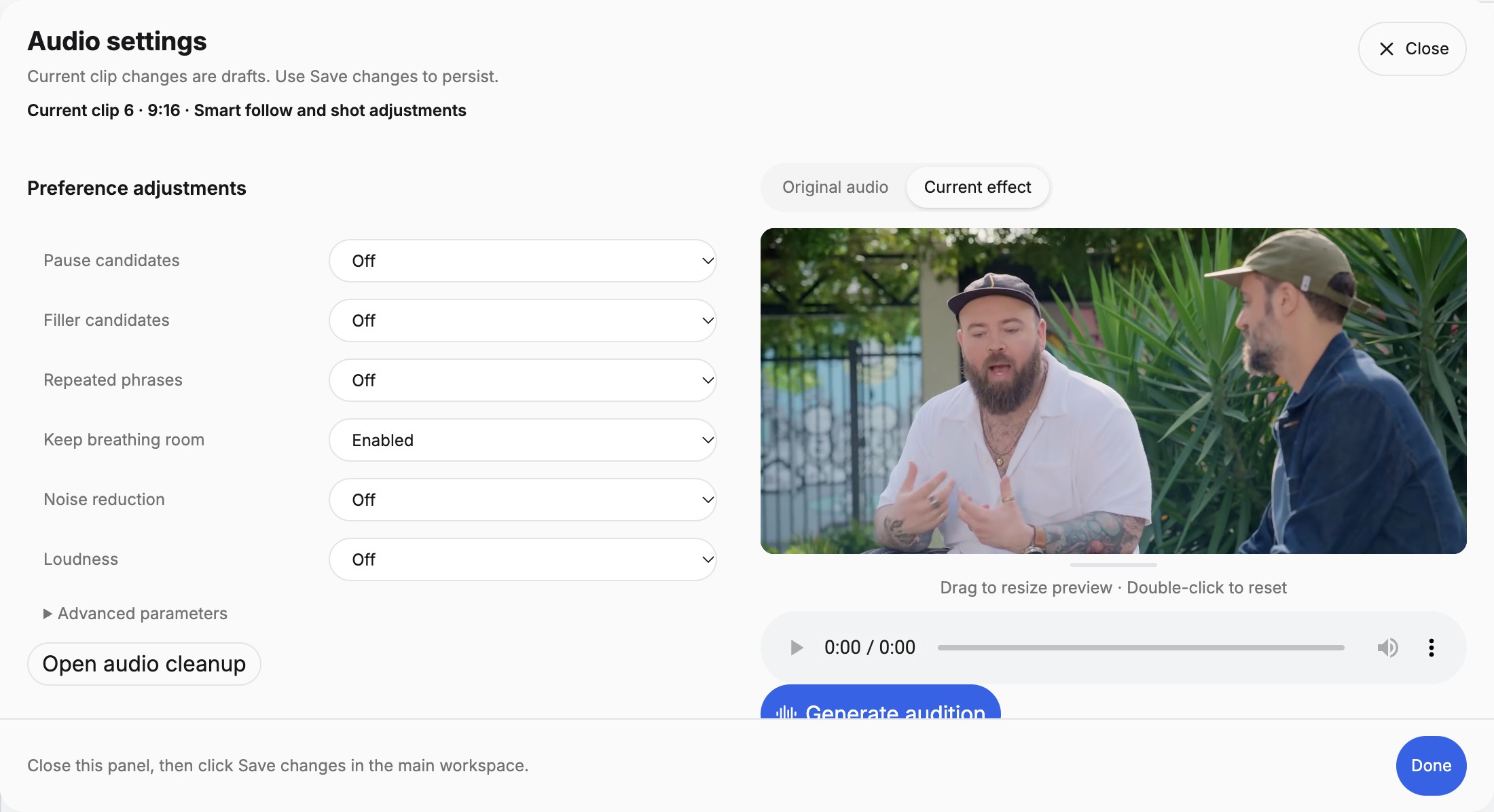
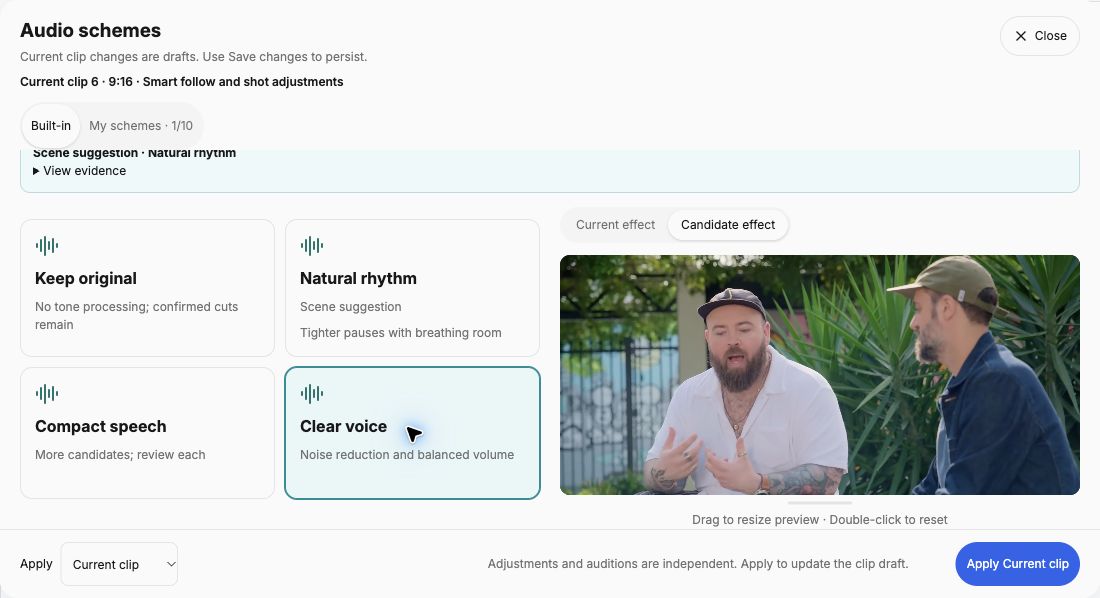
Then read without sound. Follow the captions at normal speed. Check names, numbers, technical terms, and words that reverse meaning. Look for a line that vanishes too quickly or stays after the next person starts speaking. For recurring names, use Professional terms and Account glossary; Guide 5 explains the correction and glossary workflow.
Finally, watch the picture with sound. Check the first frame, every speaker or camera change, and the ending. Inspect faces, gestures, shared screens, and caption placement. For a vertical version, use the framing guide and review at phone size. Each pass directs your attention to a different part of the viewing experience.
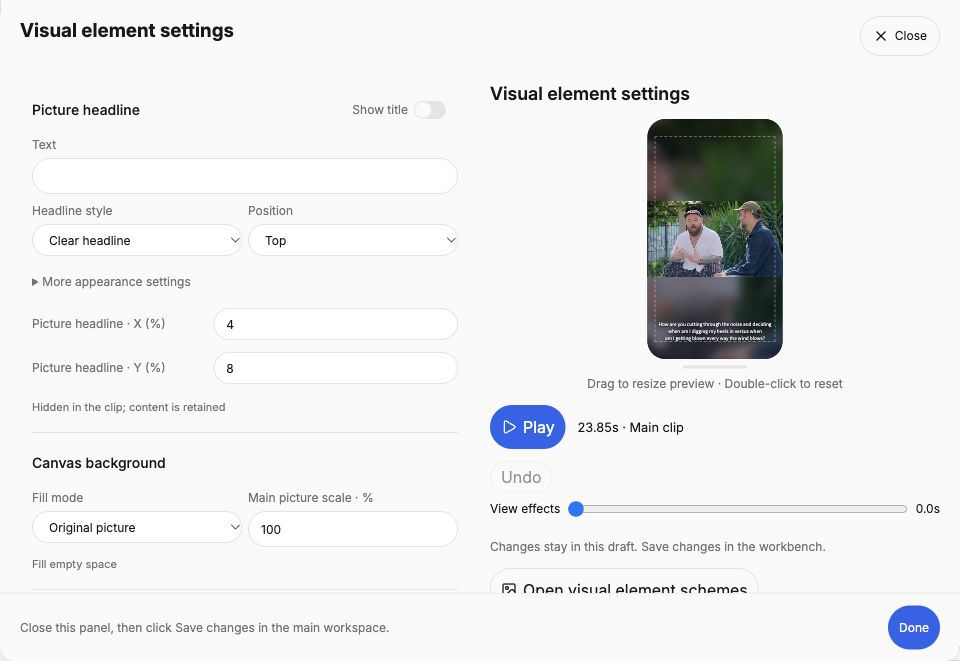
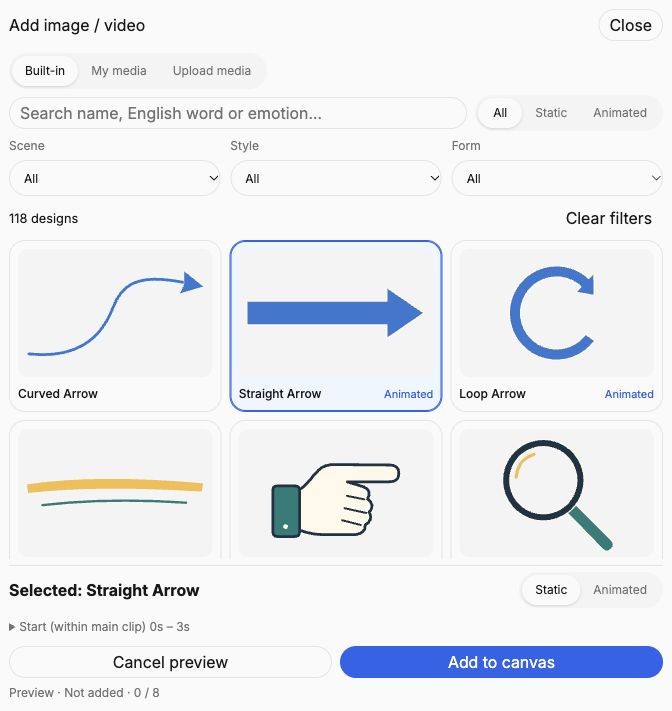
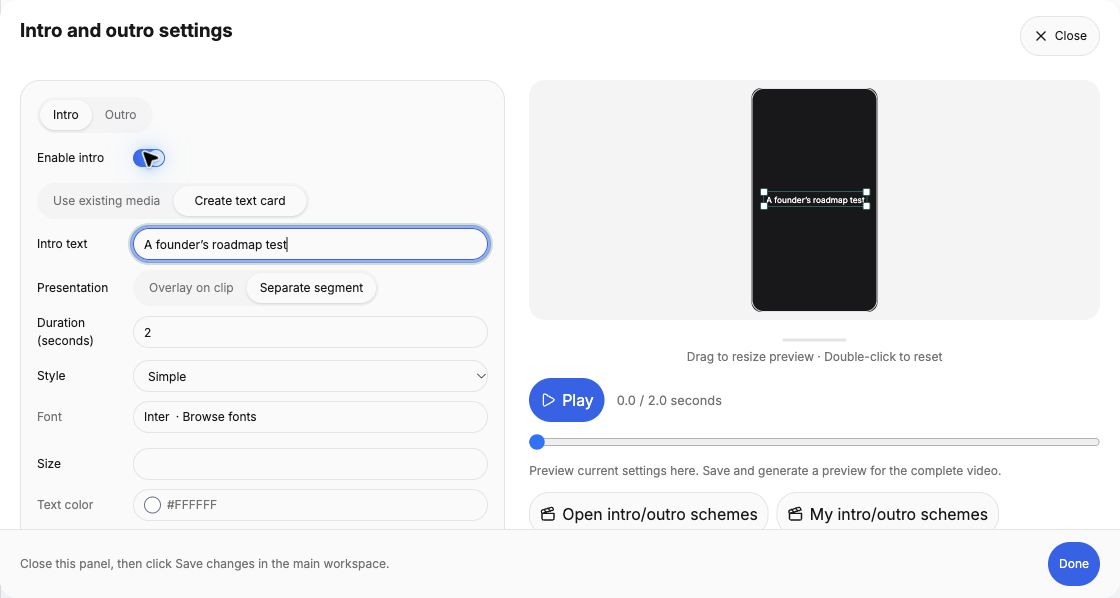
With Lite or Standard, open Visual element settings and choose Add image / video. The picker offers Built-in, My media and Upload media. Search or filter the built-in designs, then choose a static or available animated variant. Selecting a design only previews it; Add to canvas adds it to the draft, and Save changes saves the clip. Built-in and uploaded overlays share the limit of eight elements. Check each animated element’s start and end within the main clip. These designs are overlays, not audio covers, brand logos or intro/outro assets.
In Visual element schemes, inspect the candidate preview and whether saved title text or images/videos will replace existing content before applying. Saving a scheme and saving the clip are separate actions. Check the final MP4 to confirm appearance, timing and the export watermark for your plan.
Check visual elements and intro / outro settings
4. Separate editing, rendering, and downloading
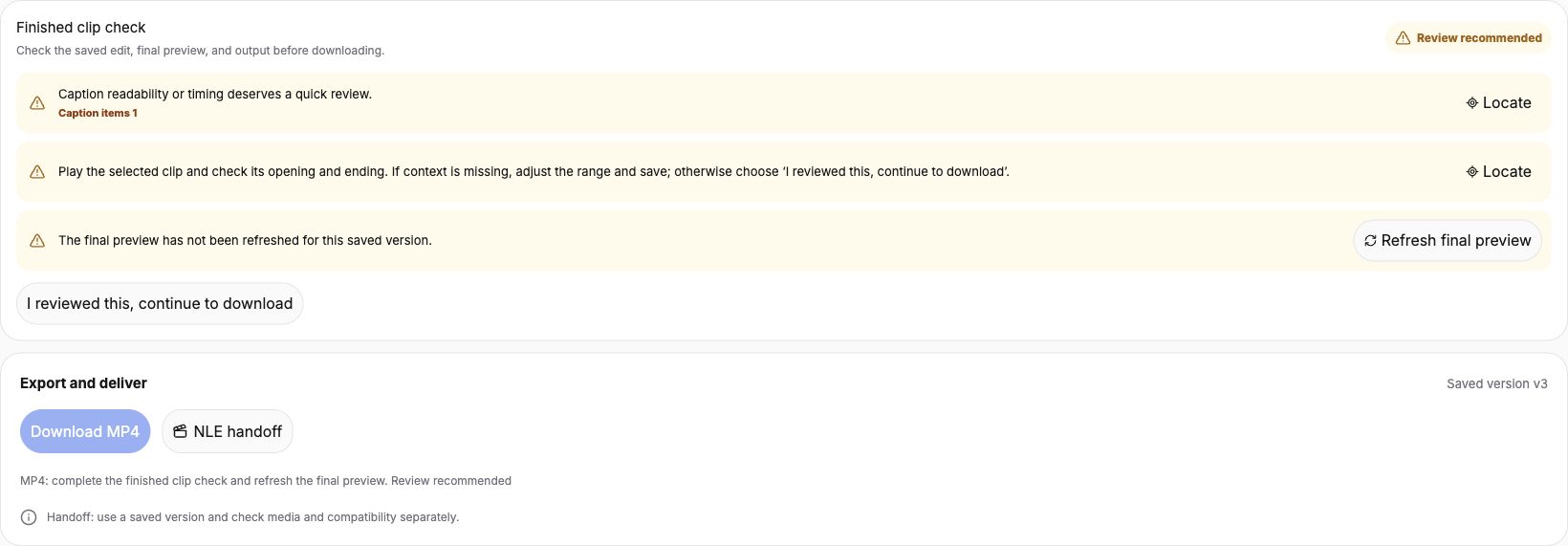
In ClipPrism, choose Save changes after your edits. Use Generate clip preview in the preview header, or Save and generate clip preview with unsaved edits. Refresh final preview is also available beside the stale-preview reminder. Read Finished clip check, address required items, and complete the review before using Download MP4.
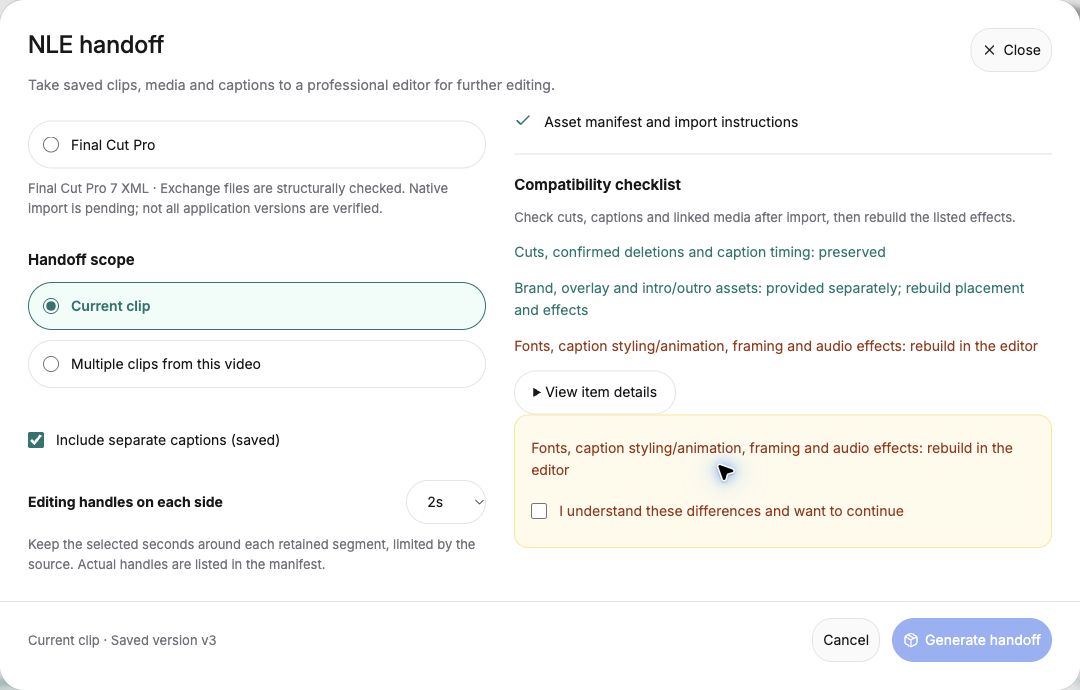
For an editor handoff, separately check the saved version in NLE handoff. The ZIP is an editing package, not a finished MP4. In Premiere, Resolve or Final Cut, verify the timeline, retained cuts, SRT captions and linked media, then rebuild the effects listed in the package. Check the import in your target editor and version before relying on it for delivery; the package does not promise identical effects or a native project. It supports video sources, not audio-only audiograms.
If the changes were saved but rendering failed, use the preview retry action. Once the result plays correctly, download it and open the file in your video player.
Verify the duration and aspect ratio, but also replay the content. Make sure you did not download an older landscape version when you meant to use the new vertical one. Check that the intended caption treatment is present. If you change anything after this pass, repeat the relevant check on the new file.
5. What the checklist catches in the roadmap example
| Check | What this example shows | What to do before posting |
|---|---|---|
| Context | The reviewed cut includes the host’s question. | Still identify the topic and speaker for viewers who do not know the episode. |
| Captions | The company name is corrected to Clerk. | Review all lines, not only the corrected name. |
| Output | The same answer is available as a 16:9 landscape edit and a 9:16 vertical edit, both about 24 seconds. | Choose the intended version. In the vertical comparison, check the host-to-guest transition and the host’s long caption. |
| Claim | The answer explains the roadmap criterion. | Package it as one criterion, not the full framework. |
Compare the two actual cuts if you want to practice the context check. Mark your chosen export ready only after it passes the checklist. Record a concrete fix for any failed item, or set the clip aside if the source cannot support the intended claim.
6. Prepare permission, credits, and the viewer’s next step
Confirm that you can edit and share the source recording and any added music, graphics, or other media. A publicly viewable video is not by itself permission to republish it. Keep the relevant permission or license information with the project, and include the attribution required for your material.
Keep the source title, creator, source link, license information, and relevant edit notes together so they are easy to include wherever attribution is required. The credits below show how we document the example used in this series.
Write a title that the excerpt supports. Add a useful next step, such as the full interview, and check the link. Preview the post in its destination before publishing so you can inspect text placement and the opening presentation. For a podcast teaser, a clear invitation such as “Watch the full conversation with Colin Sidoti” tells viewers what they can explore next.
For several clips from one episode, run the checklist on each one. Different boundaries can introduce different caption and framing problems even when the source and settings are shared.
For source-specific checks, see the Audiogram workflow and the editor handoff checklist.
Check the music, writing and images that travel with the clip
If you added background music, listen to quiet speech, loop boundaries and the full intro-to-outro sequence in the downloaded MP4. A timeline handoff does not reproduce that mix. For a cover or quote card, confirm the saved source, attribution, complete text and image ratio. For AI Writer drafts, check source references and download the intended saved wording. Updating the video does not automatically revise these companion assets.
Get your next podcast clip ready to share
Choose Review clips for your processed recording in Recent content, then select the candidate you want to publish. Work through this checklist and check the downloaded file after any corrections.
Review your clip in ClipPrismUse a recording you own or have permission to edit and share. Compare plans and available features.